Google Workspace login: signing in to your work account and Admin console, and checking for Gemini
A guide to signing in to a Google Workspace account on desktop, mobile and the Admin console, fixing common sign-in problems and checking whether your account can use Gemini.
To sign in to Google Workspace, employees go to accounts.google.com and use their company email (for example name@yourcompany.com). Administrators go to admin.google.com. After signing in, you can check whether your account has Gemini by looking for the Gemini icon at the top right of Gmail or Docs.
How a Google Workspace account differs from a personal Gmail account
A Google Workspace account (formerly G Suite) is issued by a company, organization or school. The email address uses the organization's own domain, such as accounting@yourcompany.com, instead of @gmail.com. The key difference at sign-in is that the business manages the account. Administrators create accounts, issue initial passwords, reset passwords and set security rules such as mandatory 2-Step Verification.
That is why many sign-in problems can't be solved by the user alone and need your company's administrator. If your business doesn't use Google Workspace yet and you are evaluating it, see plans and the free trial on the Google Workspace page.
Google Workspace login on a computer
This applies to employees, accountants and other regular users:
- Open a browser and go to accounts.google.com.
- Enter your full company email (for example staff@yourcompany.com), then click Next.
- Enter the password your administrator gave you or the one you set yourself, then click Next.
- If prompted, complete the security verification step. This is usually a code sent to your phone or recovery email.
- Once signed in, open Gmail, Drive, Calendar, Meet or Docs from the Google apps icon.
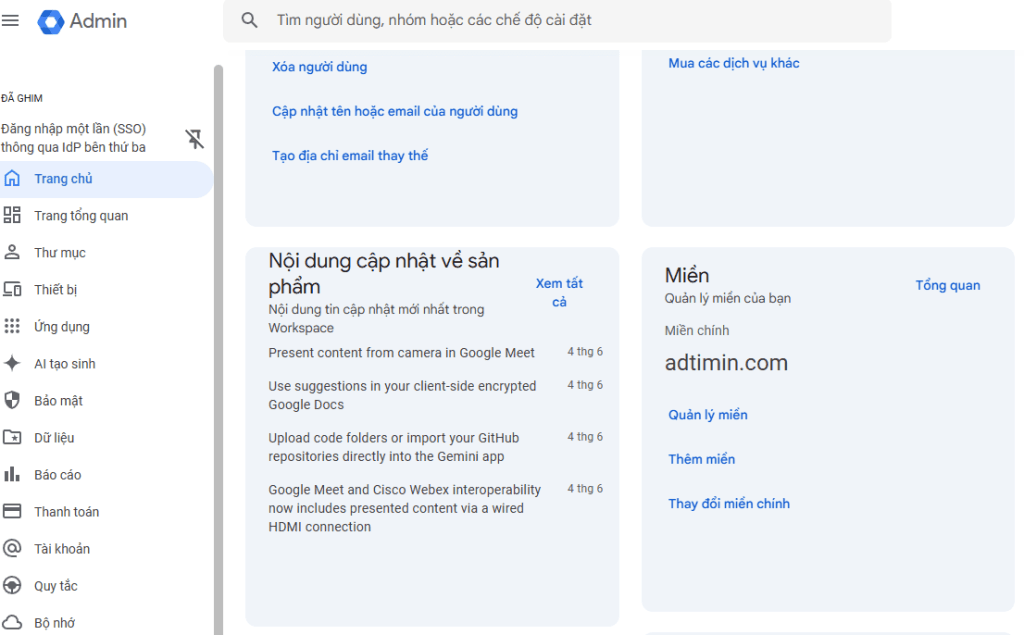 Image: Adtimin · Source: googleworkspace.adtimin.vn
The first time you sign in with a password issued by your administrator, you may be asked to change it. To change your password later, go to myaccount.google.com, select Security, then select Password.
Signing in on a phone
On a phone, you add your work account to a Google app such as Gmail, Drive or Meet:
- Install the Gmail app. It usually comes preinstalled on Android phones. On iPhone, download it from the App Store.
- Open Gmail, tap your profile picture and choose Add another account.
- Choose Google, then enter your company email.
- Enter your password and complete verification if prompted.
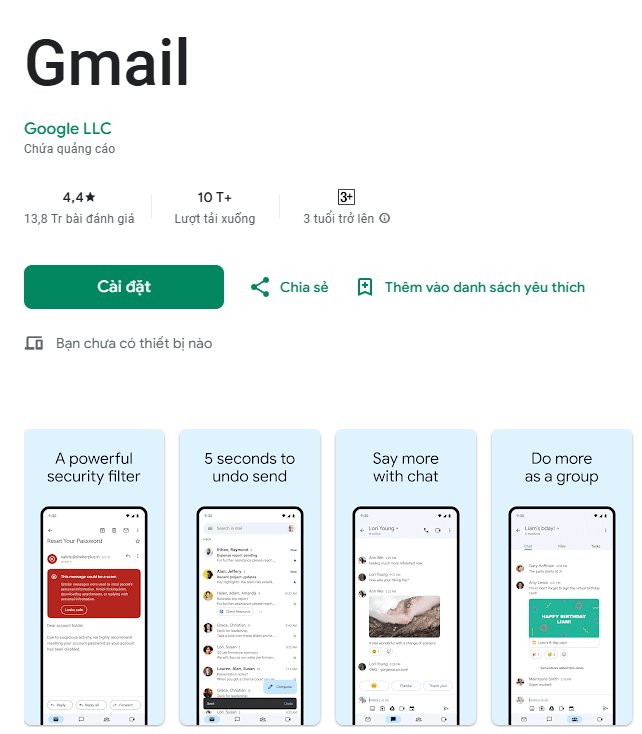 Image: Adtimin · Source: googleworkspace.adtimin.vn
Your work account can sit alongside your personal Gmail account in the same app. Tap your profile picture to switch between them.
Signing in to the Admin console
IT staff or business owners with admin rights use a separate page to manage users, groups, apps and security:
- Go to admin.google.com.
- Enter the administrator account email, then click Next. This is usually the account created when the business signed up for Google Workspace.
- Enter the password and complete security verification if prompted.
- After signing in, you reach the Admin console.
Employee accounts without an admin role can't use the administration functions on this page. Small businesses should have at least two people with admin rights. If the only admin leaves or loses access, the company will find it very hard to regain control.
Can't sign in: common problems and fixes
The table below summarizes common problems based on a guide from Adtimin, a Google Workspace reseller in Vietnam. It is not official Google documentation.
| Situation | Common cause | What to do |
|---|---|---|
| Account not recognized | Entered an @gmail.com address or mistyped the domain | Enter the full company email, including @yourcompany.com |
| Forgot password | Haven't signed in for a while or recently changed it | Contact your administrator or IT team for a reset |
| Account locked or suspended | Security reasons or a breach of the organization's policy | Ask your administrator to check and restore it |
| No 2-Step Verification code | Changed or lost your phone, or it isn't receiving messages | Check the device that receives codes and try another recovery method |
Admins resetting an employee's password
According to a guide from VinaHost, an administrator does the following:
- Sign in to admin.google.com with the admin account.
- Go to Users and select the person whose password needs resetting.
- Choose Reset password.
- Enter a new password, save it, then send it to the employee through a secure channel.
Menu names in the Admin console may differ slightly depending on interface language and Google's updates. If you can't find the exact item, use the search box in the Admin console.
Keeping the account safe
- Don't share your password with anyone, including colleagues.
- Use a strong password and don't reuse passwords from other accounts.
- Turn on 2-Step Verification.
- Sign out when using a shared computer.
- Don't click unfamiliar links in emails, especially ones imitating a Google sign-in page.
After signing in: checking for and using Gemini in Google Workspace
Google calls the AI features in this suite Google Workspace with Gemini. They help you draft emails, summarize threads, write and edit documents, take meeting notes and more.
Requirements
According to Google's help page:
- Users must be 18 or older.
- For accounts issued by a company, the business must use an eligible Google Workspace plan. Available features vary by plan.
- Some AI features may not support your language yet. In that case, you can switch to a supported language in your Google Account settings.
Personal Google accounts get AI features through separate plans: Google AI Plus, Google AI Pro or Google AI Ultra. These plans are not part of a company's Google Workspace plan.
How to check whether your account has Gemini
- Sign in to your work account as described above.
- Open Gmail or Google Docs.
- Look for the Ask Gemini icon at the top right.
- If it's there, click it to open the Gemini panel and start making requests.
- If you don't see the icon, contact your administrator. Your company's plan may not include the feature, or the administrator may not have enabled it.
Google also has a standalone Gemini chat at gemini.google.com for brainstorming and general questions outside the Workspace apps.
Gemini features by Business plan
The table below summarizes some commonly used features, based on Google's comparison table at the time of writing. Google may change this list, so check Google's help page again before buying or upgrading a plan.
| App and feature | Business Starter | Business Standard and Business Plus |
|---|---|---|
| Gmail: Help me write, Proofread, email thread summaries | Yes | Yes |
| Gmail: Help me schedule | Not listed | Yes |
| Google Chat: Ask Gemini, conversation summaries, automatic translation | Not listed | Yes |
| Google Docs: Help me write, Summarize document | Not listed | Yes |
| Google Drive: Ask Gemini in Drive, summary of changes | Not listed | Yes |
| Google Meet: Take notes for me, Translated captions | Not listed | Yes |
| Google Sheets: AI function | Not listed | Yes |
In short, Business Starter mainly gets Gemini in Gmail. The AI features in Docs, Drive, Meet and Sheets come with Business Standard and above. For the cost of each plan, see the vendor's pricing page.
Frequently asked questions
Where do I sign in to Google Workspace?
Regular users sign in at accounts.google.com, or open Gmail directly and enter their company email. Administrators use admin.google.com to manage users and settings. On a phone, add your work account to the Gmail app.
Is Google Workspace login different from signing in to personal Gmail?
The steps are almost the same. The difference is that you must enter an email on your company's domain, not an @gmail.com address. The business may also add its own rules, such as mandatory 2-Step Verification.
What should I do if I forget my Google Workspace password?
Tell your administrator or the person handling IT at your company. They can reset it from the Admin console. Once you can sign in again, you can change your own password at myaccount.google.com under Security.
Can my Google Workspace account use Gemini?
It depends on your company's plan and your administrator's settings. Open Gmail or Docs and look for the Ask Gemini icon at the top right. If it isn't there, ask your administrator.
Can I use my work account for YouTube or other Google services?
Usually yes, but your administrator decides which services you can access. Some services may be turned off for business accounts.
Sources
- Sign in to your Admin console | Getting started | Google Workspace Help
Vendor page
- Bắt đầu sử dụng Google Workspace có tích hợp Gemini - Business / Enterprise - Drive Trợ giúp
Vendor page
- Gemini for Google Workspace Customer Resource | Google Workspace
Vendor page
- Hướng Dẫn Đăng Nhập Tài Khoản Google Workspace & Giải Thích Chi Tiết Tài Khoản Google Workspace Là Gì
Other source
- [2026] Cách sử dụng Google Workspace từ cơ bản đến chi tiết
Other source